How to change the "\" in a Claim number to "/" in Mail merge
Open Config
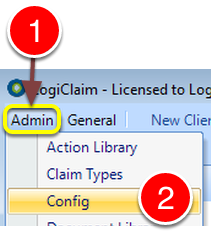
1: Click Admin from the Menu.
2: Select Config from the drop down list - the Config window will open.
Change the setting
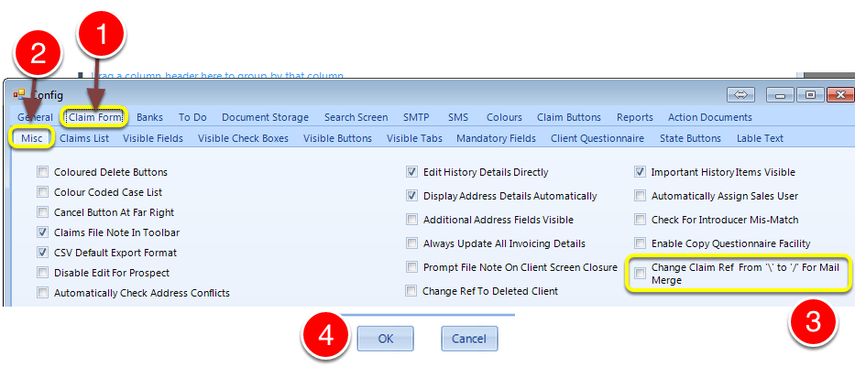
1: Select the Claim Form tab - the Claim Form window will open.
2: Select the Misc tab - the Misc window will open.
3: Tick the Change Claim Ref from "\ to "/" For Mail Merge tick box to use "/" or untick to use "\
4: Click OK to Save the changes and close the window.