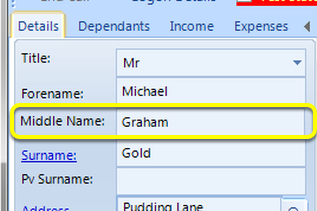
How to Capture the Client's Middle Name
Change the Config so that the Middle Name filed is displayed
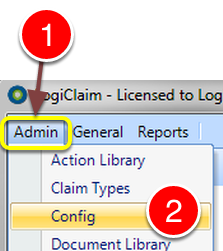
1: Click Admin from the Menu.
2: Select Config from the drop down list - the Config window will open.
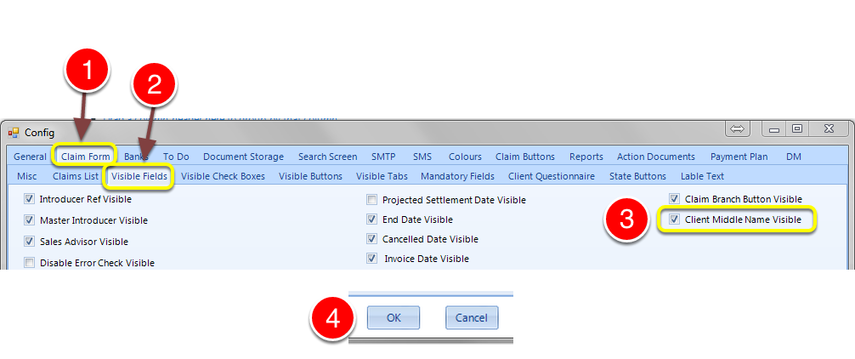
1: Select the Claim Form tab - the Claim Form window will open.
2: Select the Visible Fields tab - the Visible Fields tab will open.
3: Tick "Client Middle Name Visible" tick box to active the field.
4: Click Ok to Save the data and close the Window.
Middle Name now shows in the Client Details